Call Charges Plans
This feature need to set the Call Charges Plans by user.
The Call Charges Plans have three charge types that are Daily and Weekends and Period. And the always charges and the additional charges can respectively be set.
The displaying call charges apply the outgoing and incoming call by also other apps.
The order of priority for Charge Type
- Weekends
- Sunday and Saturday, and can include Holiday.
- Period
- A period of time in a day.
- For example, 21:00 - 6:00
- Daily
The order of priority for Charge Plans
- Prefix
- The charges plan of Prefix must be set.
- It is applied apply only if the Prefix is being selected and calling the outgoing call.
- Roaming
- It is applied only in the roaming.
- The charges plan of each mobile operator can be set.
- The Roaming Default apply if the corresponding roaming operator is not set.
- Custom Label 1 - 5
- It is applied to calls that exactly matches the specified custom label.
- Number 1 - 3
- The charges plan that specifies the phone number can be set. And these are comma delimenated.
- It is applied if the specified phone number equal at the beginning of outgoing and incoming call phone number.
- For example, it apply if the Number1 is "0120" and the outgoing and incoming call number is "0120-111-222" or "(01) 20-1" or "0120".
And it does not apply if the outgoing and incoming call number is "012" or "0122". - Mobile, Radio, Bissiness, Home (Phone number types in Touch Contact)
- Default

- The Call Charges Plans have three charge types that are Daily and Period and Weekends. And the always charges and the additional charges can respectively be set.
- The additional charges apply if the connected time is beyond Anytime that is monthly allotment.
- The Anytime can select if the charges type has a Anytime (Share OFF) or not.
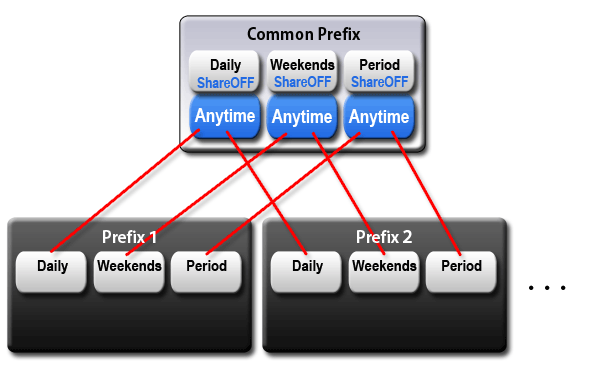
- The Anytime and the selected Share items are same value in all the prefix charge plans.
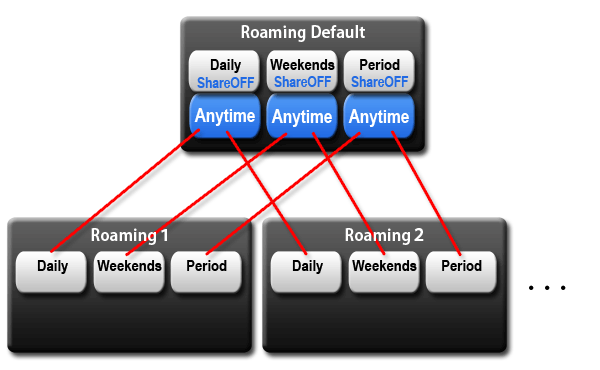
- The Anytime and the selected Share items are same value in all the roaming charge plans.
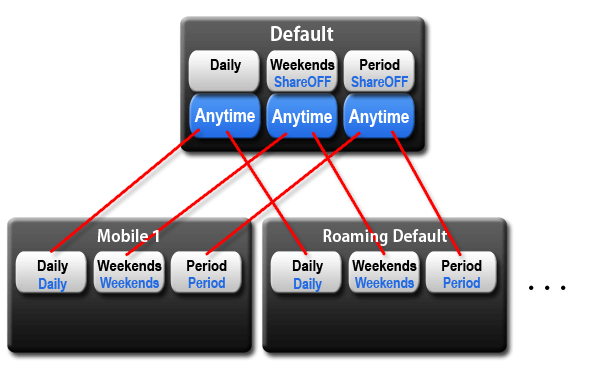
- The Share Anytime item on any phone type can be selected to the Daily or Weekends or Period on Default.
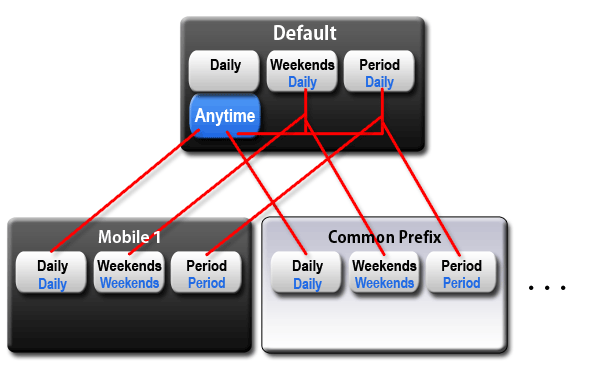
- The Share Anytime item on Default can be selected to the Daily or Weekends or Period on Default.
- The Default Daily does not have the Share Anytime item.
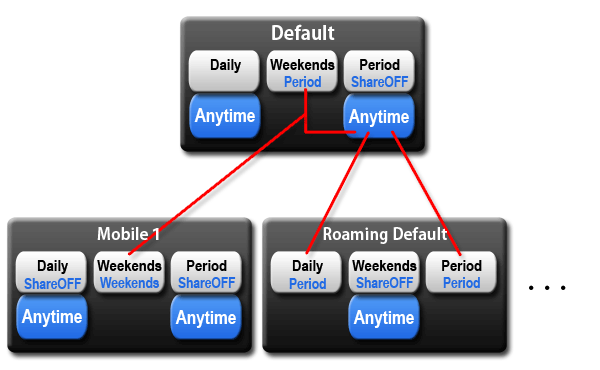
- The Share Anytime can set independently in each charge types.